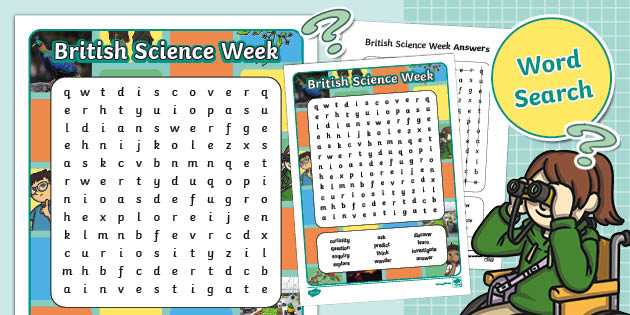
Download PDF sheets with 300 DPI resolution and vector letters so grid lines stay sharp after scaling from A5 to A3. Choose files that include answer keys on a separate page to avoid reprinting entire sets.
Choosing Topic Based Letter Grids by School Level
Select terminology sets that match curriculum units rather than random themes. For primary grades, limit vocabulary to 6–10 items with horizontal placement only. Middle school students handle diagonal and reverse directions with 12–18 terms per sheet. High school groups can work with 20–30 technical expressions mixed across all orientations.
- Grades 1–3 – 8×8 grids, large fonts above 28 pt
- Grades 4–6 – 12×12 grids, mixed directions
- Grades 7–9 – 14×14 grids with abbreviations
- Grades 10–12 – 16×16 grids including compound terminology
Subject Categories for Vocabulary Sheets
Use discipline focused collections instead of generic sets. Examples include astronomy units with planet names, chemistry sections with element symbols, biology chapters with organ systems, and physics lessons with force or energy terms.
Paper and Printer Configuration for Clear Letter Sheets
Set printer scaling to 100 percent and disable borderless mode; automatic resizing distorts square cells. Standard office paper works for single-use activities, while 160 gsm cardstock suits laminated classroom kits.
- Margins 5 mm on all sides
- Black ink only for higher contrast
- Portrait orientation for 10×10 and 12×12 grids
- Landscape orientation for 14×14 and larger
Storage and Reuse of PDF Collections
Rename files by topic and grid size such as “astronomy 12×12” or “chemistry 16×16.” Organized folders shorten preparation time before lessons and simplify repeated use across semesters.
Difficulty Adjustment Without Redesign
Increase challenge by limiting allowed directions, setting time limits of 3–7 minutes, or hiding the term list. Reduce complexity by highlighting the first letter of each target expression or enlarging cell size before printing.
Letter Grid Activities for Worksheets and Classroom Practice
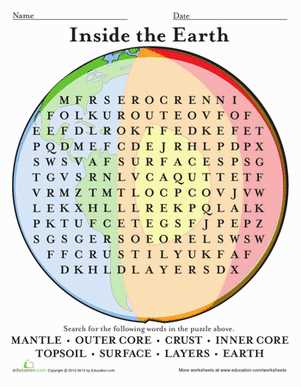
Use PDF sheets with 12×12 or 14×14 letter grids and font sizes above 20 pt so students can mark terms without crowding cells; smaller grids work for beginners while larger matrices suit advanced groups.
Choose topic-focused vocabulary sets that match the current lesson unit, such as astronomy objects, chemical elements, or human anatomy labels, instead of mixed terminology lists that slow recognition speed.
Set a visible timer between 4 and 8 minutes depending on grade level; short limits increase concentration and reduce off-task behavior during group work.
For repeated classroom use, laminate the sheets and provide dry-erase markers; this approach allows dozens of sessions without paper waste and keeps lines clear after cleaning.
Adjust difficulty by changing allowed directions: horizontal only for early grades, horizontal plus vertical for intermediate learners, and full diagonal with reverse orientation for older students.
Store digital grid collections in folders labeled by subject and matrix size such as “Biology 10×10” or “Physics 14×14” to speed up lesson preparation and maintain consistent complexity across classes.