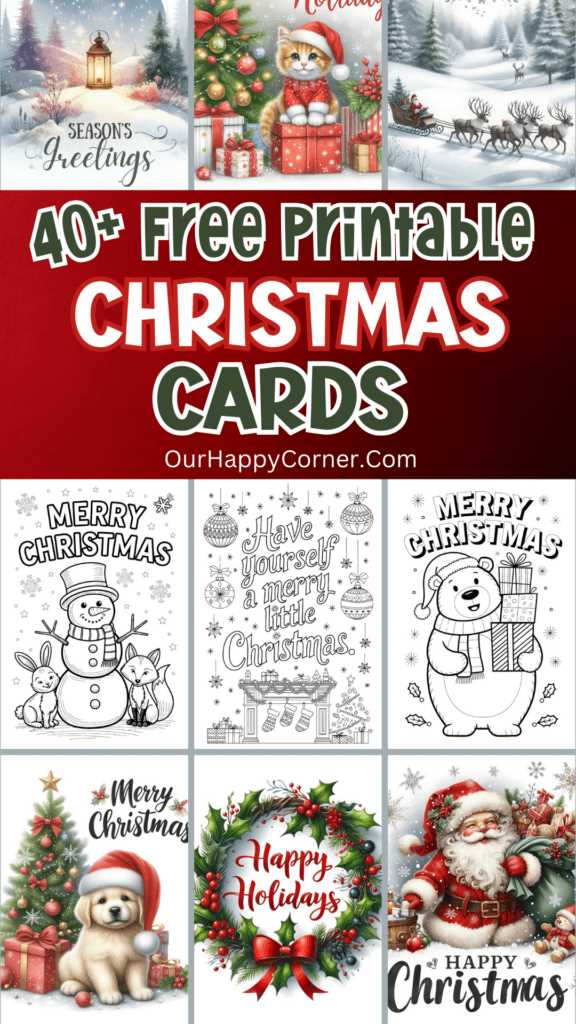
Visit websites like Canva, Greetings Island, and Adobe Spark to find templates that match the theme of your celebration. These platforms provide editable designs where you can personalize colors, fonts, and images to match your personal style. Choose templates with high-quality graphics and clear space for writing a message. You can customize them by adding personal messages or even photos to make them feel special and unique.
How to Download and Prepare for Printing
Once you’ve selected your design, the next step is downloading it. Most templates are available in PDF or PNG format, which are ideal for printing. PDFs maintain their layout and formatting across devices, while PNG files can be resized easily. Make sure the file is saved in a folder where you can access it quickly for printing. Before printing, check the design for any required adjustments, such as alignment or color intensity. Also, ensure that your printer settings are optimized for high-quality prints.
Choosing the Right Paper for Printing
For the best result, print on thick, durable paper such as cardstock or glossy paper. This gives your creation a professional look and feel. Make sure to use paper that fits your printer’s specifications to avoid any issues with paper jams or poor print quality. If you want a more luxurious touch, consider using textured paper or adding a matte finish to the design after printing. The choice of paper plays a major role in the final presentation of your greeting card.
Adding Personal Touches to Your Designs
Once your card is printed, you can add further creative touches to make it stand out. Use colored markers, glitter, or adhesive embellishments like ribbons or small decorative stickers to enhance the look. If you’re sending it by mail, consider including a hand-written note inside. This personalizes the card even further and makes the recipient feel valued. If you’re planning to give it to someone locally, you could fold it and attach it with a small tag or ribbon for an extra festive touch.
Organizing Your Designs for Future Use
Once you’ve finalized your template and printed your cards, save the files digitally for future occasions. By keeping the designs on your computer, you can print additional cards anytime. You can also reuse the same templates for future celebrations, customizing them for different seasons or themes. Storing them in a dedicated folder or cloud storage service will allow you to quickly access your cards for last-minute gifting or celebrations.
By following these steps, you can easily create beautiful, custom greeting cards that add a personal touch to any occasion. Whether it’s a festive season or a special event, designing your own greeting materials is a fun and creative way to share joy with others.
Christmas Postcards Free Printable Guide

Start by browsing websites offering downloadable holiday greeting designs. Popular platforms such as Canva and Greetings Island provide easy-to-access templates that you can modify. Once you’ve selected a design, check if the website allows customization before downloading. Many sites provide options to change the message, colors, or even add images, ensuring the design fits your style.
After downloading the template, choose the appropriate size for printing. Standard greeting card sizes are typically 4″x6″ or 5″x7″. These dimensions work well for most printers. Be sure to check your printer settings to ensure the image fits within the printable area without being cropped. It’s always a good idea to print a test page before finalizing the design.
Opt for high-quality paper to ensure the final product looks polished. Cardstock is ideal for a more professional feel, but if you’re looking for a more cost-effective option, regular printer paper works just fine. Consider using glossy or matte finishes for a polished look, but be mindful of your printer’s compatibility with different paper types.
If you’re aiming for a more personalized touch, edit the text on the template before printing. Many free design websites allow you to add your own message or greeting, giving the card a custom flair. Take advantage of these features to add your unique holiday wishes, ensuring the recipient feels special.
Once printed, carefully trim around the edges if the design requires cutting. A paper cutter or a steady hand with scissors will give you cleaner, more professional results. If the template has a fold, be sure to fold along the indicated lines for a neat finish. This will make the card look well-organized and easy to handle.
For an extra touch of creativity, consider adding embellishments. Stickers, glitter, or a small drawing can give the card a personalized, handcrafted appearance. These additions make your greeting stand out and reflect your creative spirit, which can make a memorable impression on the recipient.
Consider printing several copies of the same design to share with friends and family. It’s a cost-effective way to spread holiday cheer while ensuring everyone receives a personalized greeting. You can also use different templates for various recipients, adding variety to your holiday greetings while maintaining the same festive spirit.
Once your cards are ready, write a heartfelt message inside. A personal note will make your greeting more meaningful and is a thoughtful addition to any holiday tradition. Whether you’re giving the card in person or sending it through the mail, these small touches will make your holiday greetings feel even more special.