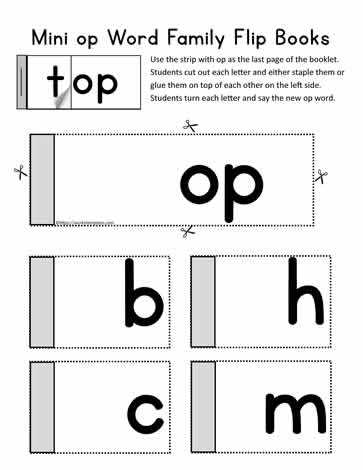
For those seeking to bring illustrations to life, using moving image templates offers a simple yet creative way to animate drawings. A highly engaging activity, these designs can be created with minimal tools, turning static images into dynamic animations. By carefully arranging images on sequential sheets and flipping through them rapidly, one can simulate movement or transform a series of sketches into a short, entertaining visual sequence.
Before starting, gather a collection of images that can work well in a progression. These could include simple drawings, a sequence of characters, or even abstract shapes. The key is ensuring that each frame gradually changes to produce a fluid transition when viewed quickly. For a smooth experience, make sure the images are consistent in size and layout.
For a more professional finish, printing on thicker material is advisable. This will help prevent wear and tear from frequent handling. Additionally, use sturdy adhesive to bind the pages securely and avoid them slipping during the animation process. The binding should allow for easy flipping, so the transition between pages is as seamless as possible.
Once you’ve assembled your series of images, the next step is to experiment with the animation speed. By adjusting how quickly you flip the pages, you control how smooth or fast the animation appears. Test different speeds to find the most visually satisfying rhythm for your project.
Lastly, while ready-made templates are available online, creating your own set from scratch can add a personal touch. Drawing your characters or scenes ensures that the movement you create will be unique and tailored to your preferences. Whether for educational purposes, storytelling, or simply as a fun craft, these moving images offer an excellent opportunity to explore creativity through hands-on interaction.
How to Create Interactive Animated Sequences
Start by gathering your materials. Choose a series of images that will work well in a flowing sequence. This could include scenes that change slightly with each frame or movements that progress over time. Make sure the images are consistent in size, orientation, and quality to ensure smooth animation.
Once you have your images, print them on sturdy paper or card stock for durability. If you are working with digital designs, ensure the file resolution is high enough to maintain clarity when printed. For smoother flipping, opt for a material that isn’t too thick but still durable enough to withstand multiple uses.
Arrange the printed images in the correct order. It’s important to ensure that the progression of frames is logical, with each image building on the last. This will help create the illusion of motion when flipping through the pages. Lay them out neatly, ensuring they align well on each page to avoid distortion in the animation.
Bind the pages together using a method that allows for easy flipping. You can use staples, brads, or a binding ring to secure the pages. Be mindful not to bind them too tightly, as it may hinder the flipping motion. The pages should turn easily to create the desired effect.
Test the speed of your sequence. The quicker you flip through the pages, the faster the animation will appear. Experiment with different speeds to see what works best for your project. The smoother the transition between frames, the more fluid your animation will appear.
Lastly, customize the experience by adding your personal touches. You can use hand-drawn illustrations or digital designs, depending on your preferences. Whether creating animations for educational purposes, as a hobby, or for a creative project, the process of building interactive sequences can be an engaging way to explore animation and storytelling.
How to Create a Flip Book Using Printable Templates
Start by selecting a set of templates that are designed for creating sequences. You can find these templates online, where each page has a part of an image or story. Make sure to download high-quality files that are sized appropriately for printing. Once you have the templates, print them on thick paper or cardstock to ensure durability and ease of flipping.
After printing the pages, stack them in the correct order, ensuring each image follows a logical progression. Secure the stack with a binding method such as staples, paper clips, or a small ring binder. Make sure the binding allows for easy flipping of the pages. Once bound, test the sequence by flipping through the pages quickly to check the animation. Adjust the layout or speed of the flip for the best result.