
For any assessment process, having a ready-to-use rating tool is key to speeding up the decision-making process. By using pre-designed rating tools, you can quickly gauge a candidate’s abilities or evaluate performance based on clear criteria.
Designing a Simple Rating Tool for Immediate Use
Start by defining the core aspects you want to evaluate. For job candidates, this might include skills, experience, or problem-solving abilities. Assign each aspect a score, such as a 1-5 or 1-10 range. This allows you to evaluate each candidate or situation on the same consistent scale.
Keep the categories clear and relevant. For example, a score of 1 could mean “unsatisfactory,” while 5 could represent “outstanding.” This approach simplifies the process and helps avoid subjective judgments. Once your categories are established, print the scale to ensure easy access during evaluations.
Applying Rating Tools in Various Work Environments
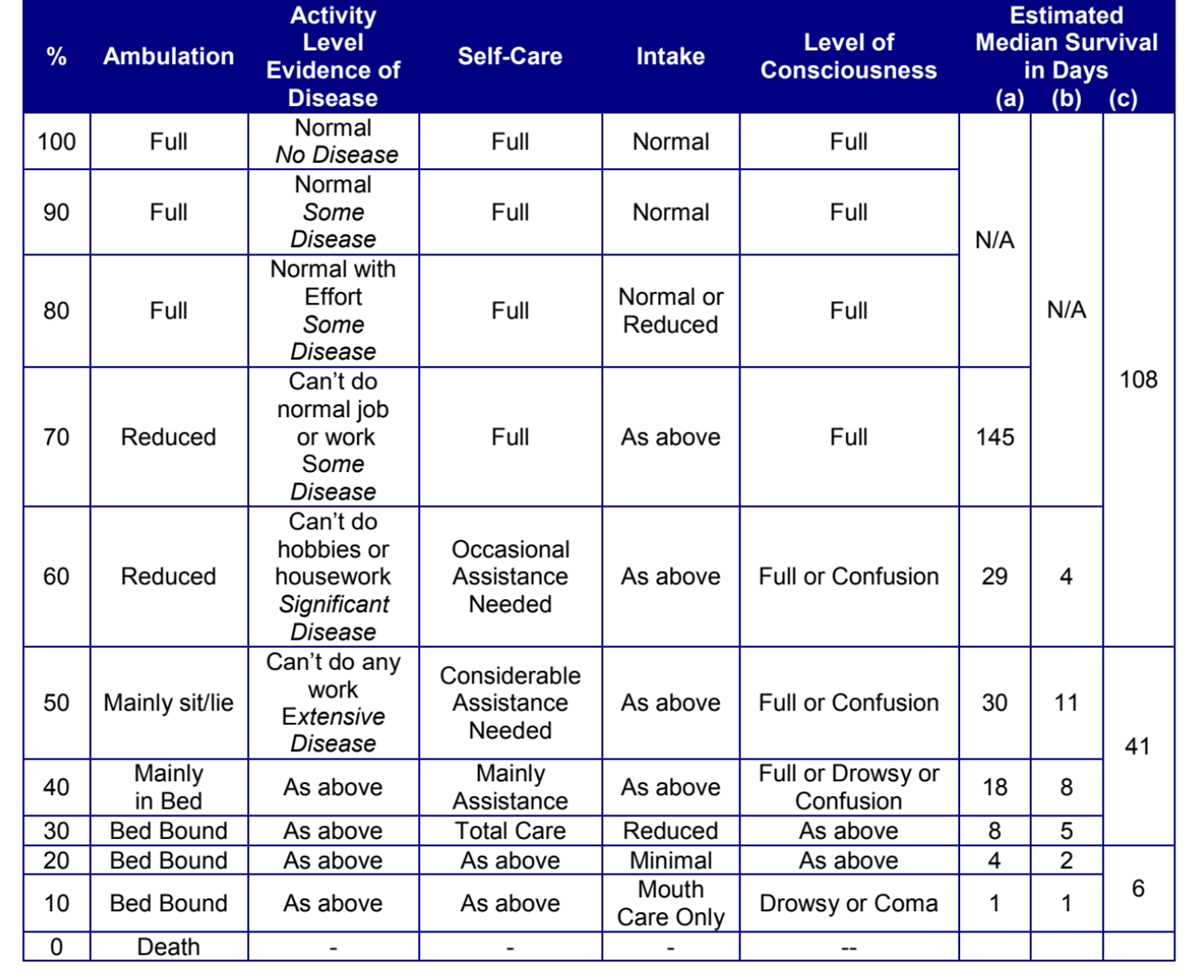
Once you’ve developed your evaluation framework, consider where and how it can be applied. For example, in the hiring process, the tool can be used to rate each applicant on aspects such as communication skills, technical abilities, and cultural fit.
In project management, you can rate team members based on criteria like deadline adherence, collaboration, and problem-solving. This simplifies performance reviews by providing a clear, measurable way to track individual contributions over time.
In sales or customer service, use this approach to quickly assess how well an employee is performing. Rate their interactions with customers, their product knowledge, and their ability to resolve issues efficiently. Print the evaluation tool for easy reference during meetings or reviews.
By consistently using these rating frameworks across different tasks or roles, you’ll streamline the evaluation process and make more objective, data-driven decisions. It also helps ensure all team members are assessed by the same standards, improving fairness and transparency.
Creating a Quick Evaluation System for Immediate Use
To set up a quick evaluation method, define the key criteria for assessment. Focus on measurable factors such as technical skills, attitude, or adaptability. Each category should have clear descriptors that allow you to rate responses on a numeric or qualitative scale. Make sure the range is simple, such as 1-5 or “poor to excellent,” to avoid confusion during assessment.
Once you’ve identified your criteria, organize them into a checklist or a form that can be printed. This will ensure you and other evaluators stay aligned and consistent in your approach. Having a physical copy available during the evaluation helps reduce distractions and ensures nothing is overlooked. Use a straightforward design, so it’s easy to fill out during the session without interrupting the flow of the assessment.
For optimal results, adapt this tool for different purposes. For example, in employee reviews, include criteria like punctuality and teamwork. For client feedback, use factors like satisfaction and communication clarity. The flexibility of this tool makes it applicable across various scenarios, enhancing your ability to assess and compare multiple factors in real time.