
Download high-resolution edge trim designs in PDF format and print them at 100% scale on US Letter or A4 paper to frame classroom wall displays with clean, consistent lines. Choose files set at 300 DPI resolution to keep colors sharp and patterns crisp after cutting.
Select themes that match your classroom setup such as seasonal leaves, geometric shapes, polka dots, or alphabet strips. For large wall displays, calculate the perimeter in inches and divide by the length of each strip to determine how many sheets you need before printing.
Use heavyweight paper between 24 lb and 32 lb to prevent curling, and laminate each strip with 3 mil pouches if you plan to reuse them throughout the school year. Trim along crop marks with a rotary cutter to maintain straight edges and seamless connections.
Align each section slightly overlapping by 0.25 inches when attaching to cork or fabric surfaces to avoid visible gaps. Secure with clear push pins or double-sided tape placed every 8–10 inches to keep the decorative frame flat against the wall.
Where to Download Free Printable Bulletin Board Borders in PDF Format
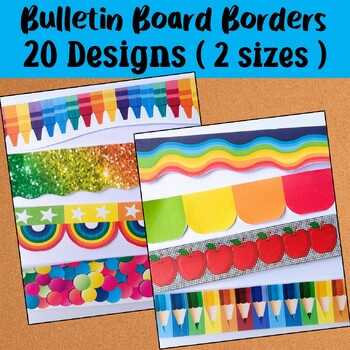
Access classroom resource websites that offer downloadable PDF edge trims without registration and verify that each file is set to 300 DPI with standard US Letter or A4 dimensions. Choose designs that include crop marks and seamless repeat patterns to simplify alignment on large wall displays.
Search teacher resource libraries and educational blog archives that categorize decorative frame strips by theme such as seasonal leaves, classroom rules, science motifs, or neutral patterns. Confirm that the download link leads directly to a PDF rather than a compressed low-resolution image.
Review the file preview before saving and check that colors appear saturated and outlines remain sharp at full zoom. Avoid files with pixelated edges or visible compression artifacts, as these flaws become noticeable after printing and cutting.
Store downloaded documents in labeled folders by theme and paper size so you can quickly reprint matching trim sets during the school year without searching again.
How to Print Cut and Arrange Bulletin Board Borders for Classroom Displays
Set your PDF viewer to 100% scale and select high-quality print mode before producing decorative edge strips. Use heavyweight paper between 24 lb and 32 lb to reduce curling and maintain straight lines after cutting.
Follow these print settings:
- Paper size: US Letter or A4 as provided
- Orientation: Match layout shown in preview
- Scaling: Disable Fit to page
- Color mode: Standard color or grayscale based on theme
Trim along crop marks with a rotary cutter and metal ruler to achieve clean, even edges. If laminating, leave a 1–2 mm clear seal around each strip to prevent peeling. For large classroom wall displays, calculate the total perimeter in inches and divide by the length of each strip to determine the exact number of sheets required.
Attach each decorative strip with slight 0.25 inch overlaps to hide seams and maintain pattern continuity. Secure with clear push pins spaced 8–10 inches apart or double-sided tape placed evenly along the back to keep the frame flat and aligned.