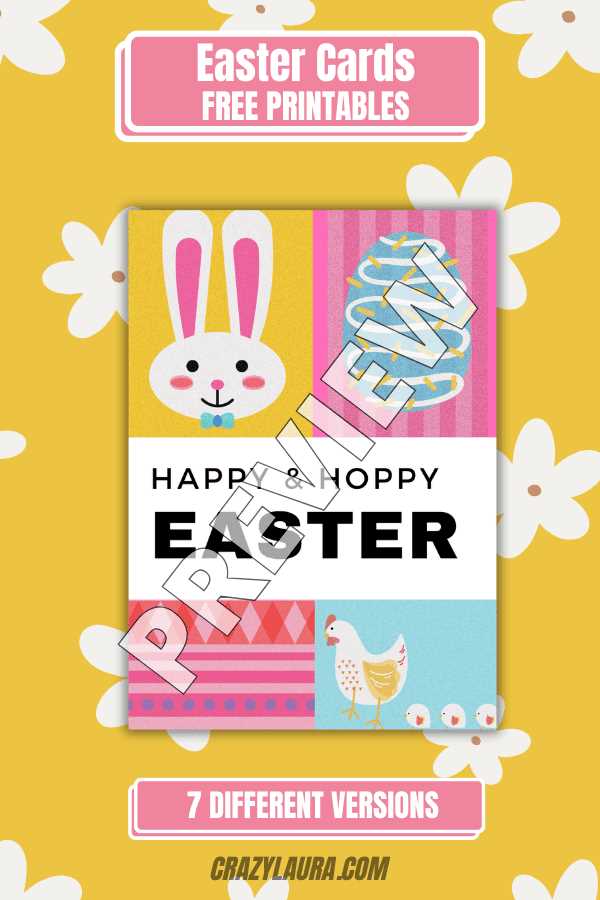
Start by choosing a layout that fits your style. You can either go for a minimalist approach or something more decorative depending on your preferences. Keep in mind that a clean, well-organized design often has more impact than a crowded one.
Choosing the Right Paper for Your Designs
When selecting paper for printing your festive greetings, opt for a sturdy cardstock. It will give your design a premium feel and prevent it from looking flimsy. Common weights range from 200 gsm to 300 gsm, which is ideal for most home printers.
Paper Finish Options
- Glossy finish provides a vibrant, eye-catching look with a shiny coating that enhances colors.
- Matte finish offers a smooth, non-reflective surface that feels elegant and professional.
- Textured paper can add a tactile dimension, making it perfect for more personal or artistic messages.
Choose a finish that complements the design of your greeting. If you have vivid colors or illustrations, a glossy finish might highlight them best. If you’re going for a more subtle and classic style, matte or textured paper will work better.
Tips for Printing and Assembly
For high-quality results, use a color printer with a high resolution setting. Make sure your design is formatted to the size of the paper you’re using. Common greeting dimensions are 5×7 inches, but you can also create custom sizes to match your preferences.
Printing Setup
- Check your printer’s ink levels before starting the print job to avoid any color inconsistencies.
- Print a test page on regular paper to ensure everything aligns correctly before using the cardstock.
- Consider printing on both sides if your design includes messages on the inside.
After printing, carefully cut out the designs and fold them if needed. Use a bone folder to create sharp, crisp folds for a neat finish. Add any personal touches like stickers, ribbons, or hand-written notes for a more custom feel.
Creating Custom Holiday Greetings
To make your greeting stand out, choose a design that reflects the spirit of the season. Opt for colorful motifs like flowers, eggs, or animals to add a lively touch. Incorporate bright pastels for a spring-like feel, or go for bolder colors to make a statement.
When crafting your message, keep it simple and heartfelt. A short, personalized note can have a greater impact than a lengthy text. For example, “Wishing you a season full of joy and renewal” is both meaningful and concise, fitting perfectly with most designs.
Consider using downloadable templates for ease of customization. Many sites offer free designs that you can personalize with your own messages and images. Choose a template that aligns with your aesthetic and print it directly, or use design software to tweak colors and fonts.
If you’re working on a larger batch, set up your document to print multiple items on a single sheet. This saves time and paper, making it easier to distribute your greetings to friends and family. Check the alignment before printing to avoid wasting materials.
For a finishing touch, add embellishments like glitter or ribbons. These can be applied to the outer edges or inside folds, elevating the design with minimal effort. Personalizing your creation not only makes it unique but also adds a special charm to your well-wishes.