
For creating a chart with all the elements in a clean format, consider using a blank layout that can be tailored for various needs. Start by selecting a chart with enough space to accommodate each element’s name, atomic number, and other details. These charts are widely used in classrooms, labs, and personal projects.
Best Practices for Customizing Your Element Chart
Before printing, determine what information you want to include. Basic charts may just have the names and atomic numbers, but you can easily add more details, such as atomic weight, group, and period, if necessary. Use a clear font to make sure that all elements are legible. You can add color-coding to represent different groups of elements (e.g., metals, nonmetals, noble gases) for better visual organization.
Choosing the Right Size for Your Chart
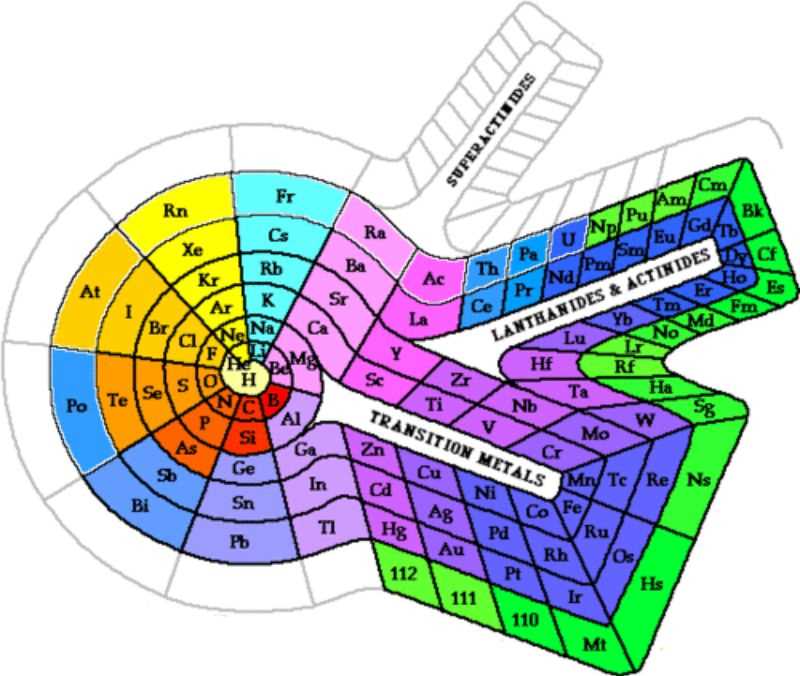
The size of your chart should depend on the intended use. For classroom activities, an 11×17 inch format works well, providing enough space for each element while remaining portable. If the chart is for reference in a lab or as a poster, a larger size, such as 24×36 inches, could be a better fit.
Printing Your Chart
For the best results, print the chart on sturdy paper or cardstock to ensure durability. Adjust your printer settings to ensure the chart fits within the chosen dimensions without distorting the content. If you need a laminated version for frequent use, consider using professional printing services.
Applications of a Customized Element Chart
Once your chart is customized, it can serve multiple purposes. In educational settings, it’s a great reference tool for students learning about the elements and their properties. In scientific research, a tailored chart can help with quick identification of elements during experiments or when organizing data. Additionally, these charts are useful in creating study guides, visual aids for presentations, or as part of interactive learning materials.
Customizing Your Element Layout for Various Uses
Start by selecting a clean layout that suits your specific needs. Many templates are available for free online and can be easily downloaded. Ensure the layout provides enough space for the key details of each element, including atomic number, symbol, and name. A blank layout gives you flexibility in adding further details or rearranging the information as required.
For educational purposes, consider adding sections for the atomic mass, electron configuration, and other properties that are relevant to your teaching goals. This turns a simple chart into a comprehensive study tool. Choose a layout where these extra details can be added without crowding the design.
Print the layout on high-quality paper, especially if it will be used frequently. For a more durable version, opt for cardstock or laminated prints. This ensures the chart can withstand repeated handling in classrooms or labs. A laminated chart can also be marked with dry-erase markers, allowing for temporary notes or updates.
If you’re using the chart in a classroom, select a large enough format to ensure all elements are readable from a distance. A common size is 18×24 inches, but larger versions can be printed for wall displays in labs. For smaller classroom settings or personal use, 8.5×11 inches works well and is easy to handle.
After printing, you can customize the chart with color codes. For instance, color different groups of elements, such as noble gases, alkali metals, and transition metals, for easy visual identification. You can use colored pencils, markers, or digital editing tools to highlight these areas.
Another customization is the inclusion of detailed information about each element’s history or common uses. If the chart is for more advanced students or researchers, adding these facts can make the chart a more valuable reference tool. For example, indicate whether an element is radioactive or mention its industrial applications.
For online use, digital versions can be created by converting the layout into a fillable PDF. This allows users to enter the relevant details on their own, making the chart interactive. For teachers, this feature can help create worksheets or quizzes for students to complete during lessons.
Consider sharing your customized chart with others. Many websites allow users to upload their designs and share them with the educational community. This collaborative approach can help other teachers and students find useful resources for learning and experimenting with chemical elements.