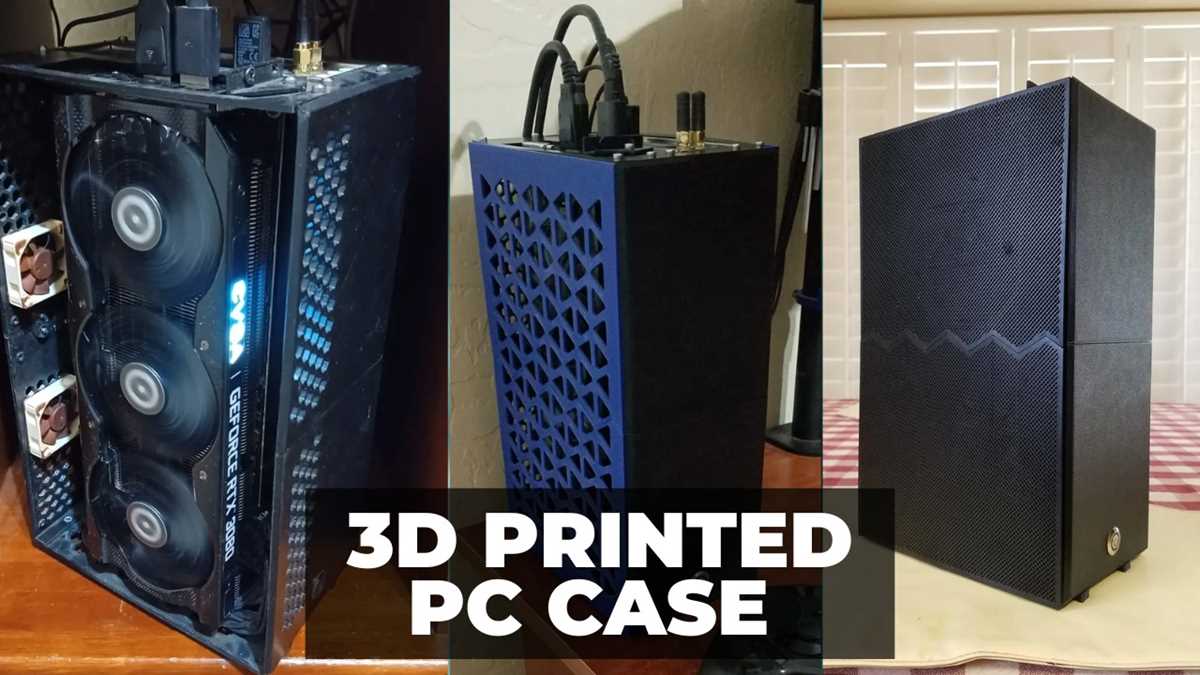
If you are looking to build a personalized PC enclosure that fits your needs precisely, creating one through 3D printing is a viable solution. You can design the outer shell to accommodate all necessary components, from power supplies to cooling systems, with the exact specifications you require. This approach eliminates limitations imposed by off-the-shelf solutions and allows for greater customization, including air flow optimization, cable management, and aesthetic preferences.
Start by selecting a suitable material for your design. PLA, PETG, and ABS are common choices due to their strength and durability. However, for higher heat resistance and longevity, consider materials like polycarbonate or nylon. Additionally, ensure your design accounts for proper ventilation; overheating can lead to hardware failures. Integrating fan mounts and vent holes into your model will improve cooling performance, allowing for smooth operation even under heavy loads.
Another significant advantage of 3D printing your enclosure is the flexibility to modify it as needed. Whether upgrading hardware or changing components, you can easily reprint parts or tweak the existing design to ensure compatibility. This adaptability makes it an ideal choice for those who frequently upgrade their systems or wish to experiment with different configurations.
Building a Custom PC Enclosure for Your Components
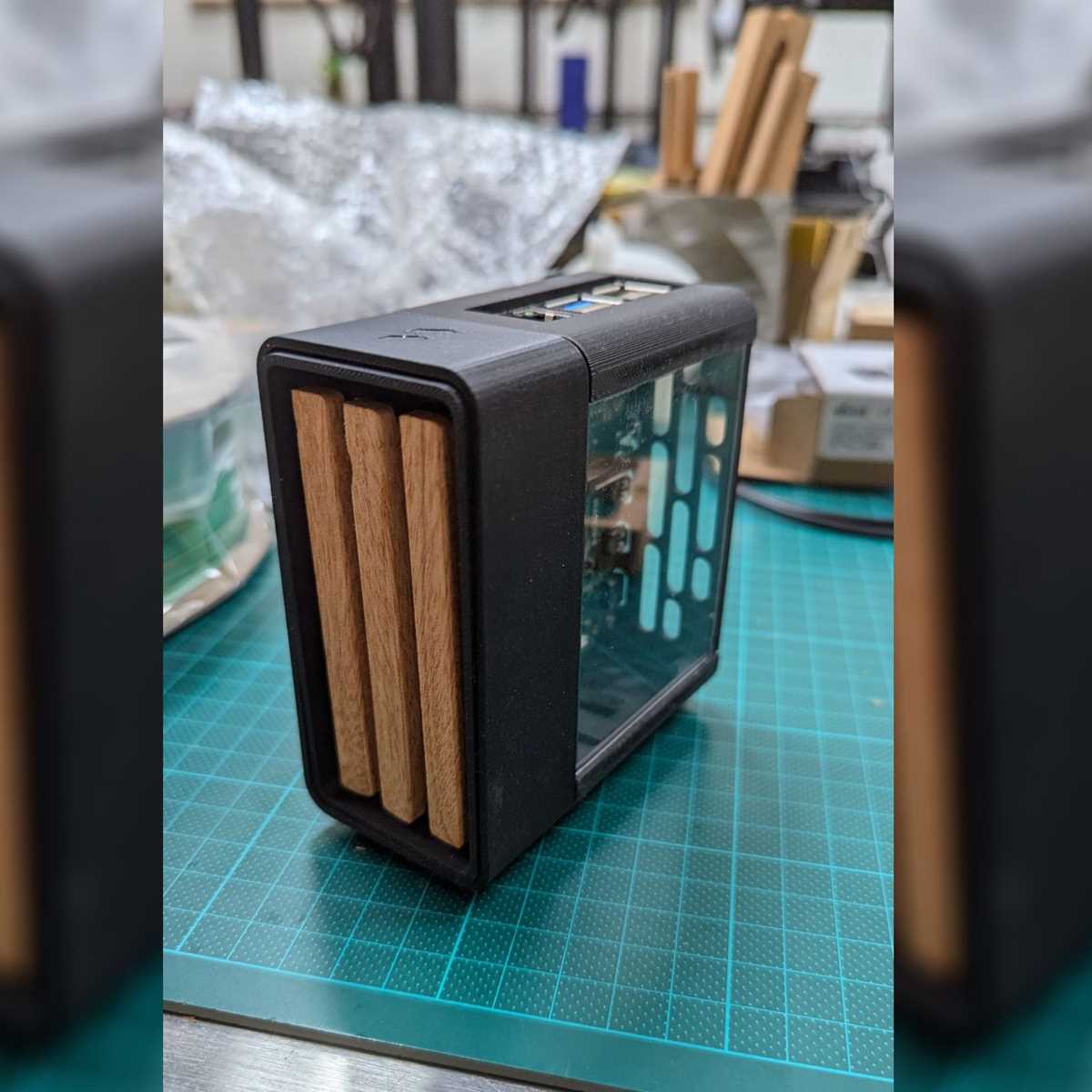
For those looking to design a personalized structure for their computer parts, utilizing 3D modeling and printing technology is a great option. One of the first steps is selecting the correct material for the frame. ABS, PETG, and Nylon are popular choices, as they offer the durability and heat resistance needed for high-performance builds.
Before starting, it’s crucial to measure your components accurately. Common parts like motherboards, power units, and cooling systems come in specific sizes, and the enclosure must account for these measurements. Leave some space for airflow around critical components like the GPU, which can get hot under heavy load.
In terms of design, ventilation is key. Design airflow channels into the structure, ensuring there is sufficient intake and exhaust. Make use of mesh inserts or honeycomb patterns to avoid restricting airflow. Many designers opt for modular structures, allowing easier access to hardware and future upgrades.
When it comes to assembly, pay attention to fastening systems. Screws or clip-in mechanisms work best, but make sure your design has sturdy connection points. Print your enclosure in multiple parts for easier handling and assembly. Test the fit of each piece before final assembly to prevent misalignment.
Additionally, integrating cable management is essential. Allocate space for organized routing of power cables, data cables, and cooling hoses. This not only keeps the structure tidy but also prevents airflow blockage caused by cluttered cables.
Thermal management should also be addressed. Ensure you include areas for fan mounts and heat sinks, as well as cutouts for potential liquid cooling systems. Prototypes should be tested under load to ensure that the temperatures stay within safe limits, making adjustments if necessary.
Lastly, if you are planning to use LEDs or RGB lighting, incorporate channels for the strips and connectors in your model. Many users prefer aesthetic designs alongside functionality, so consider transparent panels or light effects to enhance the visual appeal of your build.
Designing a Custom 3D Printable ATX Case for Maximum Component Compatibility
Begin with ensuring precise dimensions for the motherboard tray and standoffs. Standard motherboards measure 12 x 9.6 inches (305 x 244 mm), but variations exist, so verify exact measurements. Standoff holes must align perfectly with the motherboard’s mounting points to guarantee stability and prevent misalignment. Use a measuring tool and double-check spacing, as even a slight miscalculation can result in poor fitment.
Cooling solutions should be prioritized early in the design. Plan for airflow by including cutouts for fan mounts, making sure they accommodate both 120mm and 140mm fans. Integrating a front mesh panel improves intake while maintaining structural integrity. Ensure there’s enough clearance for high-performance air coolers or liquid radiators, depending on your setup. Keep thermal management in mind as airflow patterns directly affect cooling efficiency.
Next, provide enough room for power supply and GPU clearance. A typical PSU requires 5.9 inches (150 mm) of depth, but high-wattage units may demand more space. GPUs often range from 7 to 12 inches (178 to 305 mm) in length, so design the front panel and drive bays to allow adequate room for larger graphics cards. Don’t overlook cable management; include routing channels and clips for a tidy, functional layout that won’t obstruct airflow.
Lastly, consider material choice and print orientation. Certain plastics like PLA+ or ABS provide durability, but may require specific print settings. For added strength, reinforce corners and mounting points with thicker layers. Choose a layer height of 0.2mm for optimal balance between strength and print time. Test each part before final assembly to ensure proper fit and function, as even minor discrepancies can impact compatibility.