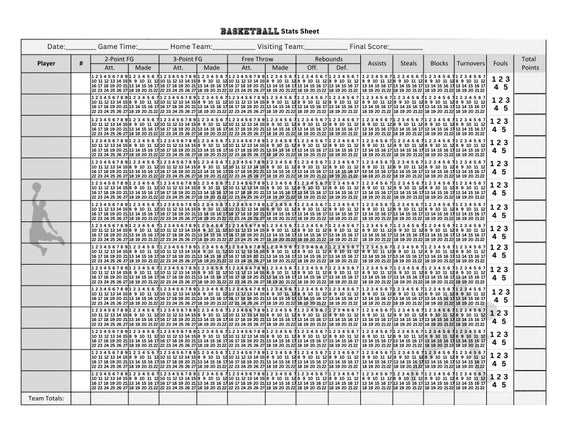
To evaluate player performance during games, start by organizing data such as points scored, assists, rebounds, steals, and turnovers. A simple table format is ideal for capturing this information in real time.
Make sure to account for different positions and roles within the team. For instance, a point guard’s assists and steals might be more critical than their scoring, while a center’s rebound statistics are often more telling than their assists. Customizing your tracker based on the team’s playing style can yield better insights.
During a game, record these metrics as they happen to avoid missing crucial moments. This will help you assess individual and team performance. After the game, review the collected data and identify patterns or areas for improvement.
Basketball Statistics Sheet Guide
To effectively track performance in a game, organize key metrics like points, assists, and rebounds. A clear structure with columns for each player and the statistics will help you keep everything organized.
Use different sections for each quarter or half of the game. This allows you to quickly assess how players perform during different phases of the match. Make sure each statistic is updated as it happens to avoid missing any valuable data.
Customize the categories to reflect the specific style of play. For example, if the team emphasizes fast breaks, include a column for fast break points. Tailoring the sheet to reflect how your team plays provides more meaningful insights.
It’s also useful to include turnovers and fouls as separate statistics. These can be just as important as points or assists when assessing overall performance and identifying areas for improvement.
Review the sheet at halftime to assess performance trends. Are certain players accumulating more points in the second quarter? Are turnovers rising in the second half? Use this data to make adjustments for the remaining game time.
After the game, analyze the statistics as a team to identify patterns. Look for trends such as which players are most effective in specific roles or which areas need improvement. This post-game review can help refine strategies for future matches.
How to Track Player Performance Using a Stats Sheet
Start by tracking basic metrics such as points, assists, and rebounds. Create a section on the sheet for each of these categories, with columns to record values during the game.
For more detailed insights, include metrics like shooting percentages and turnovers. Add sections for field goals made, free throws, and assists per game to measure a player’s overall contribution.
Record each player’s performance in real time. As points are scored, update the sheet immediately. This helps you maintain accuracy and allows you to monitor the flow of the game.
Don’t forget to track defensive metrics. Blocks, steals, and personal fouls can significantly impact a player’s performance, and separating these metrics will provide a clearer picture of defensive contribution.
As the game progresses, use the sheet to spot patterns. For instance, if a player is consistently missing shots, you might adjust their positioning or strategy during breaks.
After the game, compile the data to identify strengths and weaknesses. Which players excelled in scoring? Which had the most turnovers? Analyzing the data can reveal key areas for improvement.
Lastly, use the performance data to guide training and strategy. Focus on areas where players can improve, such as shooting accuracy or minimizing turnovers, and make adjustments for future games based on these insights.