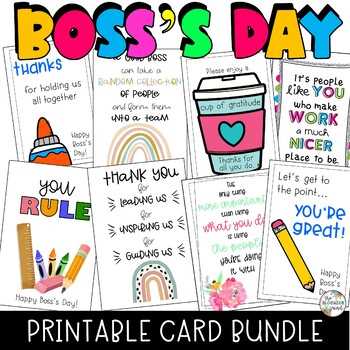
Select a clean, folded A5 layout with a neutral color palette such as navy, charcoal, or deep green to maintain a professional tone. Choose 250–300 gsm matte paper to prevent ink smudging and ensure a sturdy feel. A minimalist front design with a short headline and subtle graphic element keeps the focus on your message rather than decoration.
Write a concise note of 60–90 words that references a specific achievement, leadership quality, or milestone from the past year. Mention measurable outcomes where possible, such as meeting quarterly targets or guiding a successful product launch. Personal details should remain appropriate to workplace boundaries while still sounding genuine and direct.
Before printing, set margins to at least 0.5 inches and enable high-quality print settings to avoid faded text or pixelated graphics. Fold carefully along pre-marked lines using a ruler to create a sharp crease. Place the finished greeting inside a plain envelope and add a handwritten signature to reinforce sincerity and attention to detail.
Manager Appreciation Greeting Template Guide
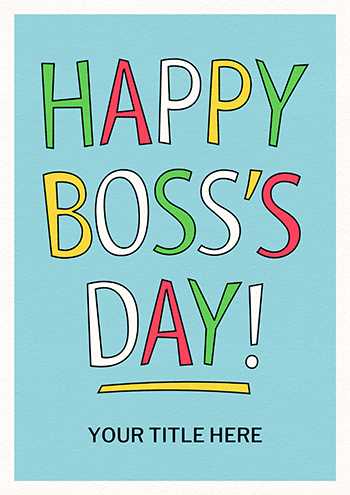
Choose a clean bifold layout in A4 or US Letter format and set it to fold into A5 size for a balanced, professional look. Keep outer margins at 0.5–0.75 inches and place the main headline in the upper third of the front panel. Use a readable serif or sans-serif font at 24–32 pt for the cover and 11–12 pt for the inner message.
Select paper stock between 250 and 300 gsm with a matte finish to prevent glare under office lighting. Light ivory or soft white tones work better than bright white, which can make dark ink appear harsh. If color elements are included, limit the palette to two or three shades such as navy, burgundy, or forest green.
Write a focused note of 70–100 words that references one specific contribution: leading a successful project, mentoring team members, or improving workflow. Include measurable outcomes like revenue growth percentages or deadlines met ahead of schedule. Keep sentences direct and avoid generic praise.
Align text blocks to the left rather than centered for longer messages to improve readability. Maintain 1.15–1.3 line spacing to avoid a crowded appearance. Avoid clipart that distracts from the message; a simple line icon or subtle border is enough.
Before sending to the printer, export the file as a high-resolution PDF at 300 DPI. Check that fold lines and bleed settings are accurate if the design includes background color extending to the edge.
Print a single test copy and examine color accuracy and text sharpness under natural light. Adjust contrast settings if tones appear faded. Use a bone folder or ruler to create a crisp fold without cracking the paper surface.
Finish with a handwritten signature in dark blue or black ink and place the finished greeting inside a plain envelope. Adding the manager’s name on the front in neat script reinforces personal attention and professionalism.
How to Choose a Card Layout That Matches Your Workplace Culture

Select a minimalist folded design with muted colors if your company follows a formal corporate standard with strict branding guidelines. Use navy, charcoal, or deep green paired with a clean sans-serif typeface such as Arial or Helvetica at 11–12 pt for the inner message. Keep decorative elements limited to thin borders or a small emblem. In creative agencies or startups, opt for a bold single-page format with asymmetrical alignment, brighter tones, and modern typography around 14–16 pt for headings. Match the paper weight and finish to the environment: matte 300 gsm stock suits executive offices, while textured or recycled paper aligns with eco-focused teams.
Adapt the tone and structure to internal communication style: if leadership values concise reports and measurable outcomes, use a structured layout with short paragraphs and bullet-style spacing that highlights specific achievements. In collaborative, informal teams, allow more white space, a larger headline, and a brief personal note placed prominently in the center panel. Keep branding colors consistent with company presentations or email templates to maintain visual cohesion.