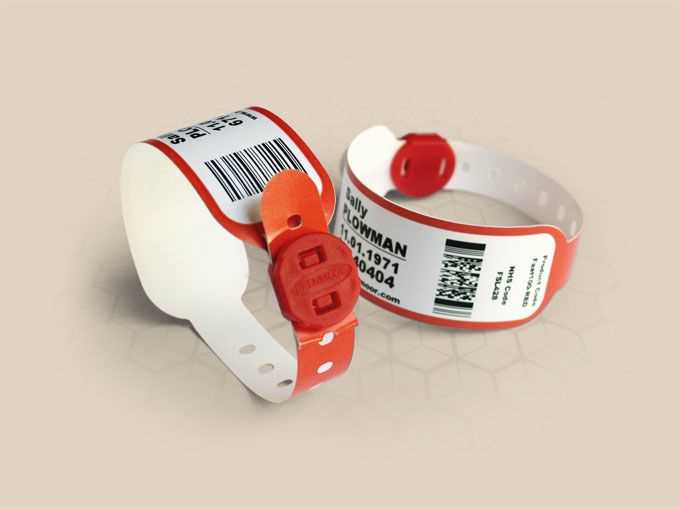
Why You Should Create Custom ID Tags
Designing personalized identification bands for medical purposes can save time and improve patient safety. These tags can be made using readily available templates and adjusted according to specific needs, providing clarity and reducing the chance of errors. By printing these personalized tags, healthcare institutions can streamline their processes, ensuring accuracy and efficiency.
Steps to Create Custom ID Tags
- Choose the Right Software – Select software that allows customization of design elements. Common options include Microsoft Word, Adobe Illustrator, or specialized online design platforms. These programs enable you to adjust dimensions and fonts to fit the standard size for ID bands.
- Select the Correct Dimensions – The size of the ID tag should be compatible with standard medical equipment or wristband holders. Typically, dimensions range from 1.25 inches to 1.75 inches in width. Ensure the space is sufficient for legible text.
- Customize the Design – Add relevant fields such as patient name, medical record number, and barcodes. Use clear and readable fonts to enhance visibility. If necessary, include color coding to distinguish different departments or medical conditions.
- Test the Print Quality – Before mass printing, test with one or two prints to confirm the quality and legibility of the text. Choose high-quality paper or materials that are durable and resistant to wear and tear in a healthcare setting.
Benefits of Using Customizable ID Tags
- Time Efficiency – With pre-made templates, the time spent designing and printing individual tags is minimized. This allows for a quicker process when managing patient flow.
- Cost-Effective – Printing tags in-house is more affordable than purchasing pre-made options from external suppliers, especially for smaller medical facilities.
- Improved Accuracy – By having a standardized format, the likelihood of human error during patient identification is reduced. Tags can be consistently printed with all the required information.
Where to Find Pre-Made Templates for Printing
Several websites offer free or paid templates for customized identification tags. These are usually designed to meet industry standards and can be easily adapted. Look for templates with adjustable text fields and size options to suit your needs. Some examples include:
- Template Websites – Websites like Canva or Microsoft Office provide pre-made templates for patient ID bands that can be easily edited.
- Online Medical Supplies Stores – Some suppliers offer templates specifically designed for their products, ensuring compatibility with their wristband systems.
Designing Custom Identification Tags for Medical Use
For anyone needing an easily customized way to create patient identification items, designing your own tags can be a practical solution. Use simple software like Microsoft Word, Adobe Acrobat, or online template generators to create layouts tailored to your needs.
Choose a font that is both readable and clear. Opt for a bold, sans-serif typeface for legibility. Avoid cursive or overly decorative fonts to ensure that the text is easily identifiable, especially in emergency situations.
Incorporate fields for key information such as name, date of birth, and medical conditions. These pieces of data are essential to ensure quick identification in case of emergency. Make sure these fields are placed in logical, easy-to-read sections.
The size of the tags is another crucial factor. Ensure they are large enough to be seen clearly, but not so large that they become cumbersome or hard to manage. A typical size is around 1.5 inches by 3 inches, but this can vary depending on the needs of the individual or facility.
Consider using color-coded backgrounds or borders to signify specific needs or conditions. For example, a red border could indicate allergies, while blue might signify a need for extra medical attention. Color contrast enhances visibility and quick understanding.
After designing, print the tags on durable materials, such as plastic or laminated paper. These materials will help the item withstand wear and tear over time, ensuring it remains legible and intact in any setting.
Finally, ensure the design is adaptable. Allow space for additional information, such as emergency contacts, to be added as needed. This ensures that as health conditions change, your system remains effective and ready for use.