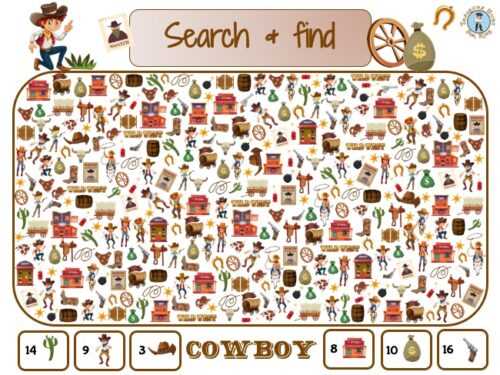
Download high resolution search puzzles in PDF format at 300 DPI and print them at 100 percent scale to keep object proportions accurate. Use standard A4 or US Letter size with margins set to at least 12 mm to avoid trimming key elements.
Choosing the Right Visual Search Pages
Select simple scenes with 6–10 hidden items for ages 4–6. For ages 7–9, increase complexity to 12–18 objects blended into detailed backgrounds. Older children can handle crowded illustrations with 20 or more targets and smaller item sizes.
Check line thickness before printing. Outlines between 1.5 and 2.5 pt remain visible after copying and reduce eye strain. Avoid low contrast gray shapes that may disappear on home printers.
Printing and Paper Recommendations
Use 80–100 gsm paper for single use classroom tasks. For repeated practice or lamination, choose 120–160 gsm stock. Matte paper reduces glare under classroom lighting and helps children focus on small details.
Disable automatic scaling in the printer dialog and select high quality mode for sharp lines. Run one test page to confirm that no objects are cut off near the edges.
Classroom and Home Use Tips
Organize visual search pages by difficulty level and label each file clearly. Store printed copies in folders sorted by theme such as animals, holidays, or everyday objects. This structure allows quick distribution during lessons or quiet time.
Encourage children to circle items with colored pencils rather than markers to prevent bleed through. For reusable sets, laminate pages and provide dry erase markers for multiple attempts.
- Limit each session to 10–15 minutes for younger learners.
- Provide a checklist of target items at the bottom of the page.
- Track completion time to monitor progress.
Picture Finds Printable
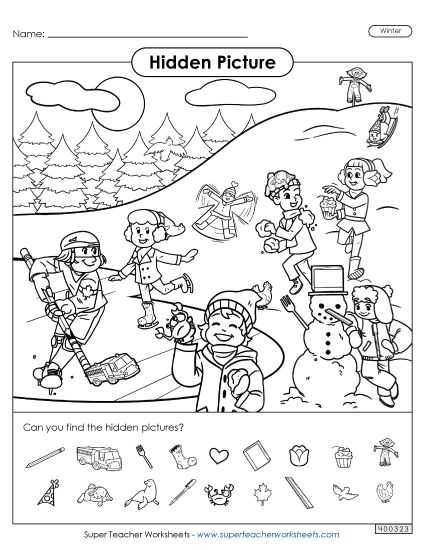
Download hidden object search pages in PDF format at 300 DPI and print them at actual size with scaling disabled. This keeps small details sharp and prevents distortion of target items placed near the margins.
Select scenes based on age and attention span. For preschool children, use illustrations with 5–8 clearly defined objects and wide spacing between elements. For elementary students, choose crowded scenes containing 15–25 smaller targets blended into backgrounds such as parks, classrooms, or seasonal settings.
Maintain high contrast between objects and background. Black outlines at 2 pt thickness remain visible on standard home printers, while pale gray lines may fade. Avoid heavy color fills if the goal is to let children circle items easily with pencil.
Use 80–100 gsm paper for single session tasks and 120–160 gsm stock for repeated handling. Matte finish reduces glare from overhead lighting, which helps reduce eye strain during 10–15 minute search exercises.
Place the checklist of hidden elements at the bottom of the page in 12–14 pt font. Keep at least 10 mm spacing between each listed item so children can mark progress clearly without crowding the text.
Store sorted sets in labeled folders by difficulty level and theme. Organizing animal scenes, holiday illustrations, and everyday environments separately allows quick distribution during class or structured practice time at home.