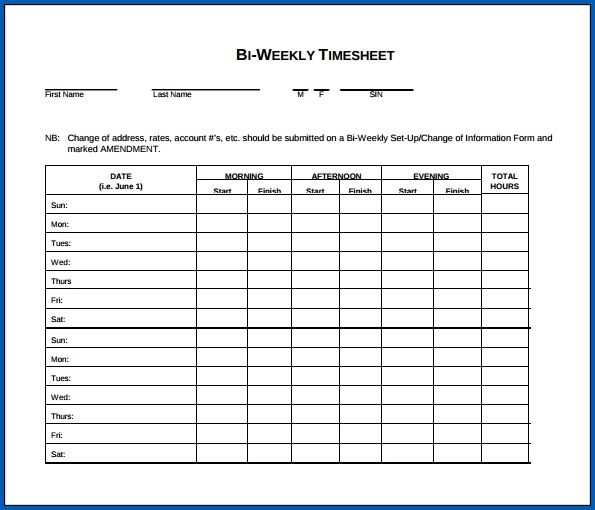
Start by selecting a template that fits your company’s needs. It should have clear spaces for employee name, workweek dates, hours worked each day, total hours, and any overtime. These templates can be found online, or you can create a custom one using Excel or Google Sheets, depending on your preference.
How to Customize Your Tracker for Accurate Timekeeping
Ensure the tracker includes fields for both regular and overtime hours. For each day, include a section to specify start and end times. This way, employees can input detailed information about their shifts. You can also add a column for breaks if necessary. If you’re managing multiple employees, a row for each employee’s name and work details will help you keep everything organized.
Tips for Accurate Record Keeping
Make it a practice to double-check entries. Employees should fill in their time daily to avoid forgetting hours worked. It’s helpful to set up a system for supervisors to approve entries before final submission. For remote teams, you might want to use an online form or project management software that automatically tracks hours worked based on activity.
Also, it’s important to set a deadline for submitting the time tracker. This will help prevent delays in payroll processing. If there are discrepancies in the recorded hours, always allow for adjustments and ensure employees report any errors in a timely manner.
Lastly, keep a backup of all records for at least a year, in case of audits or any discrepancies that need to be addressed later. Having both digital and physical copies is a good practice.
How to Create a Work Hour Tracker for Two Weeks
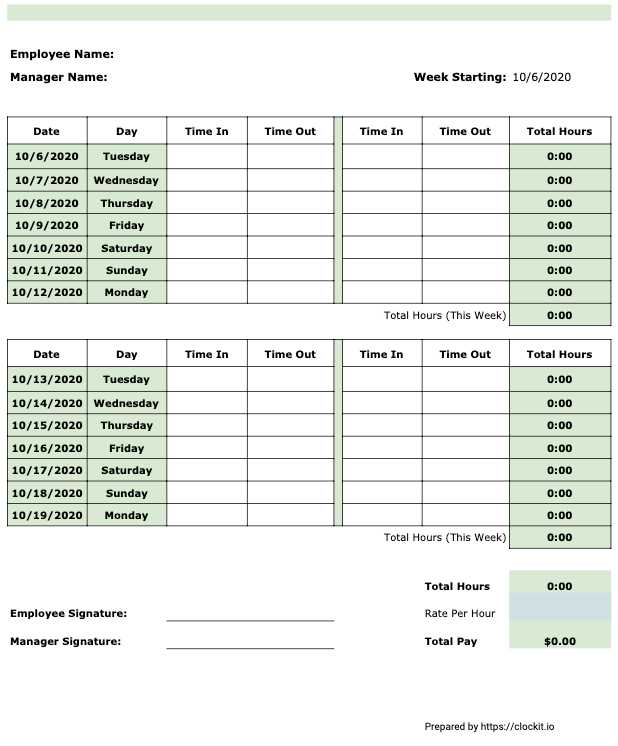
To get started, choose a simple template with fields that track employee name, dates, hours worked each day, total worked hours, and any additional overtime. These sections will ensure that all the necessary details are recorded for efficient payroll processing.
Be sure to include areas for notes or explanations regarding missing or extra hours. This can help clarify any discrepancies. Adding a space for employee signatures or manager approval will improve the accountability of the entries.
For digital usage, you can easily create a template using spreadsheet software like Excel or Google Sheets. This approach allows for automatic calculation of total hours worked, including overtime, and provides quick adjustments if required.
Make sure to set a deadline for submission of the completed record to avoid delays in the payroll process. Keep the deadline consistent and remind employees to update their entries daily. This will help maintain accuracy and prevent the need for last-minute corrections.
Finally, store a copy of all completed time entries. It’s helpful to keep both digital and hard copies for reference in case of discrepancies or audits. Retaining these records for a year will ensure you meet legal requirements in case of inquiries. A well-organized system is key to smooth payroll operations.