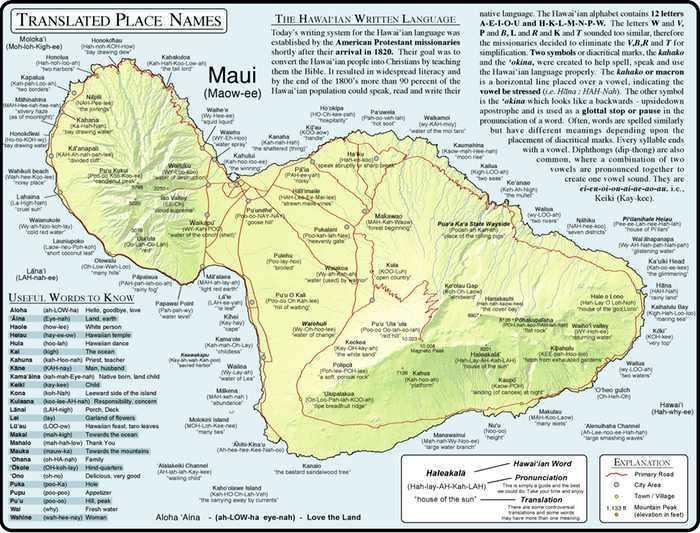
Choose a high-resolution island layout with a scale between 1:75,000 and 1:120,000 so road names remain readable while still showing the full coastline on a single sheet.
Use landscape orientation on A4 or US Letter paper to prevent route labels from wrapping across folds. Set margins to 10–12 mm and disable automatic scaling in the printer dialog so distances stay accurate.
Select versions that include elevation shading; this helps identify winding mountain highways, steep grades, and lookout points before driving. Coastal highways may appear short on screen but require extra time due to curves and narrow shoulders.
Preparing a Clear Hard Copy for Field Use
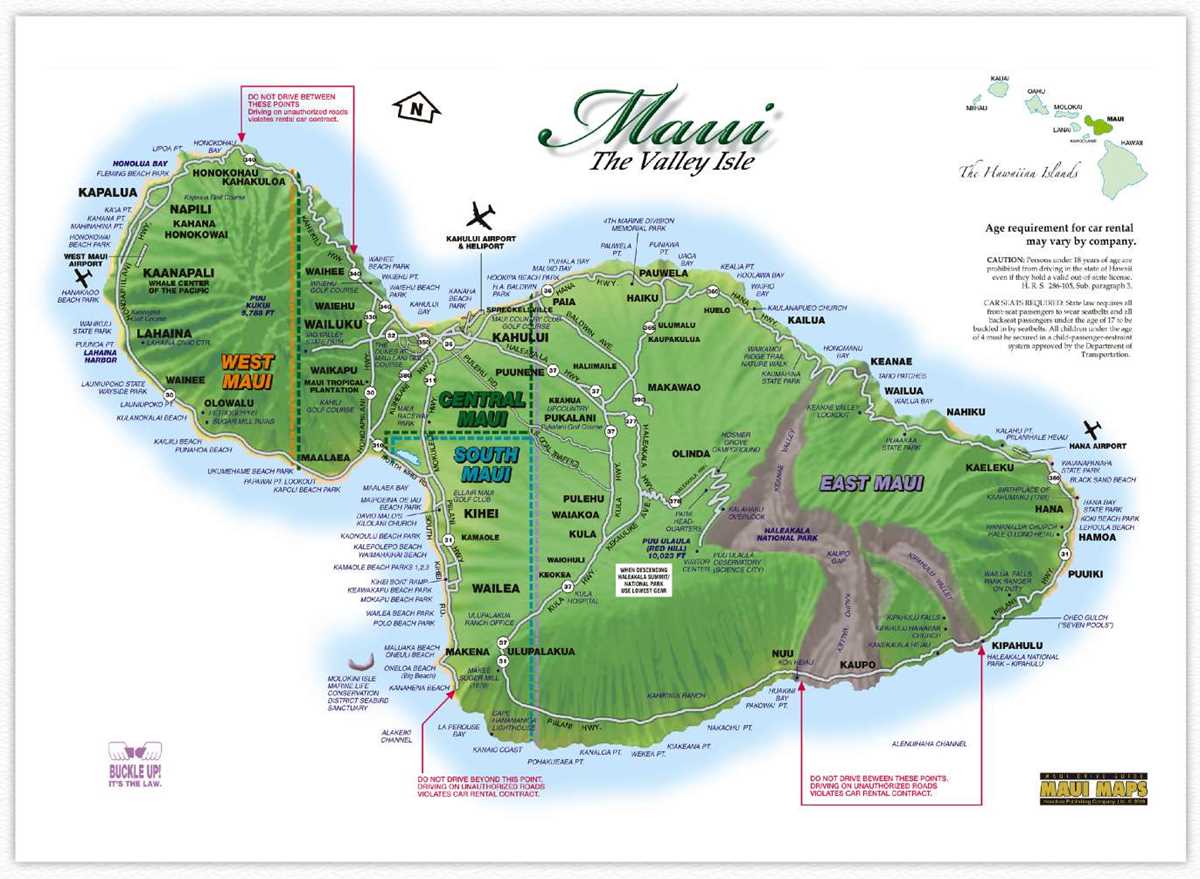
Print using 120–160 gsm paper to reduce tearing inside backpacks or car compartments. Standard office paper absorbs humidity quickly in tropical climates and becomes difficult to handle.
Add a small legend box with handwritten notes such as fuel stops, parking areas, and sunrise locations. Ink annotations remain visible even in bright sunlight where phone screens can be hard to read.
Fold the sheet into thirds rather than quarters so the main highway corridor stays visible without constant unfolding.
Adapting the Sheet for Navigation Without Internet Access
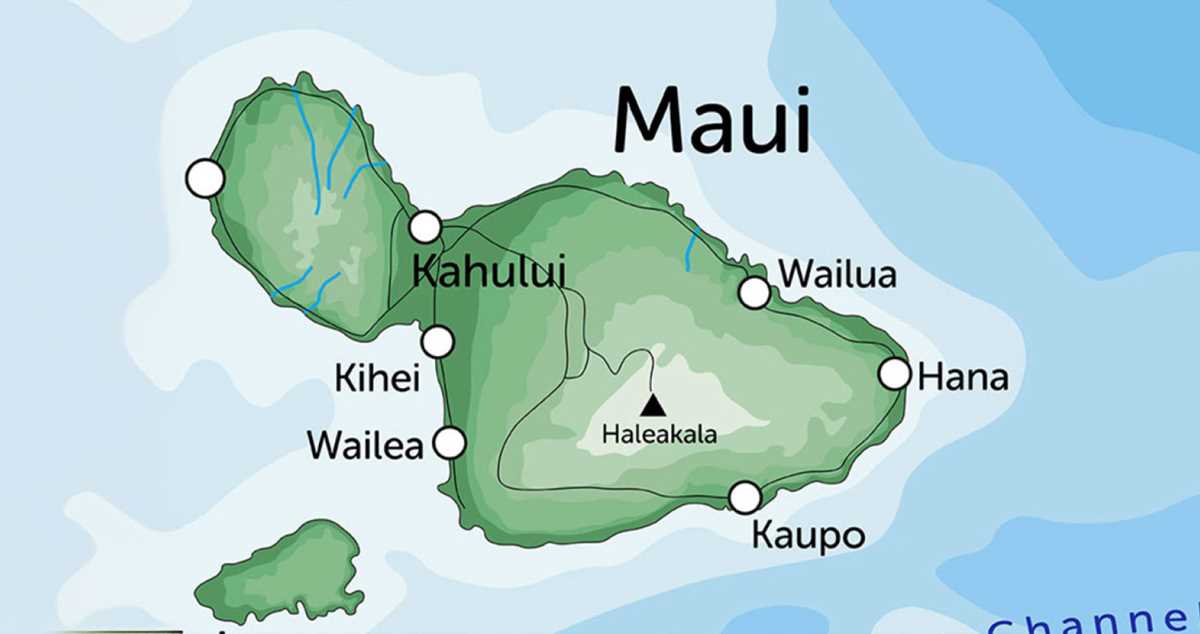
Mark estimated driving times between key points using local speed averages of 35–45 mph on rural routes rather than relying on digital estimates. This prevents scheduling mistakes on scenic roads.
Highlight emergency facilities, ranger stations, and major junctions with a bold marker. Cellular coverage can drop along cliffs and forested areas, so visual reference points matter.
Store the copy inside a resealable plastic sleeve or laminate it with a matte finish to avoid glare. A non-gloss surface allows writing updates with a pencil during multi-day exploration.
Recommended Details to Include Before Printing
- Major highways with mile markers
- Beach access roads and parking symbols
- Topographic contours for hiking regions
- Water sources and public facilities
- North arrow and scale bar for manual distance checks
Printer Settings That Preserve Fine Details
- Set output quality to 600 dpi or higher
- Disable toner saving modes
- Use grayscale rather than draft color for sharper contrast
- Check preview to confirm text remains above 6 pt size
A well-prepared physical reference remains reliable during long drives, coastal hikes, and situations where battery life or signal strength cannot be trusted.
Printable Map of Maui Hawaii for Travel Planning and Offline Use
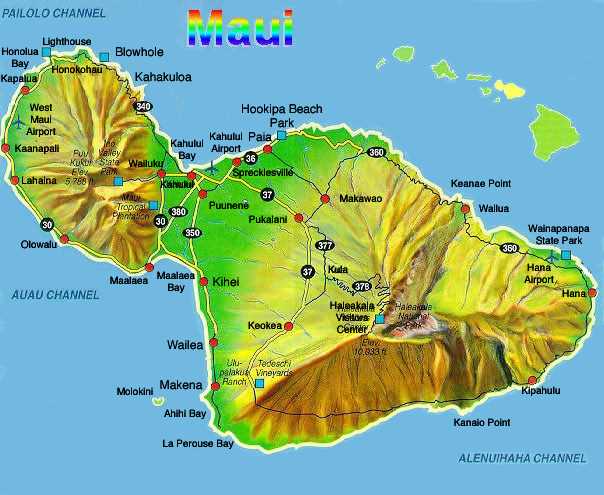
Select a high-resolution island chart formatted for home printing at 300 dpi or higher so small road names and mile markers remain sharp on paper. Choose a version that shows both coastal highways and inland routes on one page to avoid switching between multiple sheets while driving.
Use landscape orientation and scale the layout to fit a single A4 or Letter page without automatic resizing, since printer scaling can distort distance calculations. A scale near 1:100,000 allows you to estimate travel time by measuring segments with a ruler, where one centimeter equals roughly one kilometer.
Mark key stops such as trailheads, beach access points, fuel stations, and public restrooms before leaving your hotel. Handwritten notes are easier to read in bright sun than phone screens, and they remain accessible when mobile signal drops along cliffs or dense forest corridors.
Protect the sheet with a matte laminate or a clear document sleeve to guard against humidity, salt air, and sudden rain. Fold it into a three-panel format so the main road network stays visible while seated in a vehicle, reducing the need to unfold the entire page during quick navigation checks.