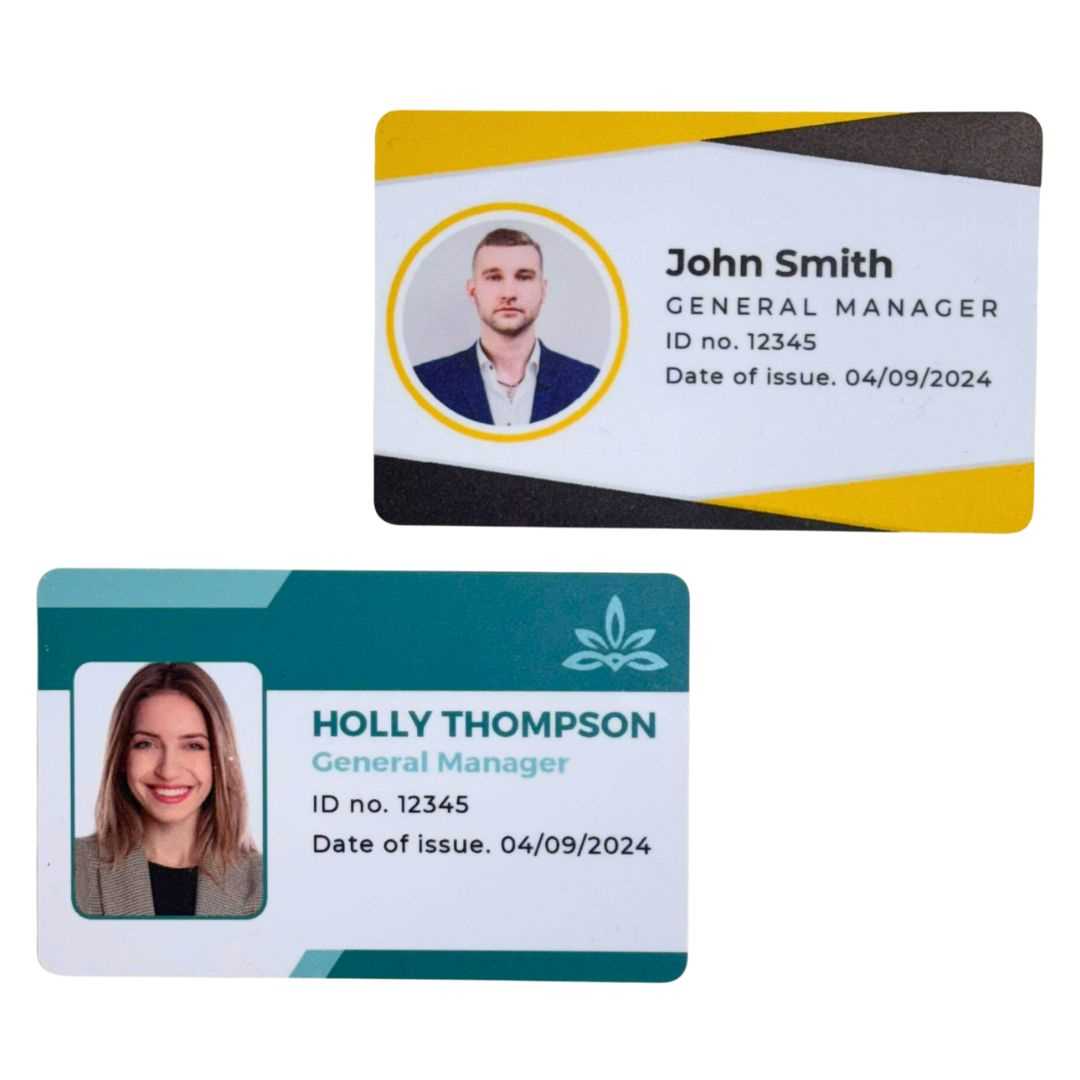
Use standard CR80 size 85.6 × 54 mm PVC blanks and design your layout at 300 dpi with a 3 mm bleed on each edge. Place the photo area at 25 × 30 mm minimum and keep the name field in bold 14–18 pt type to ensure readability at arm’s length.
Select dye sublimation or retransfer printing if you need full color coverage and sharp text. Inkjet on coated PVC sheets can work for small batches, but allow at least 24 hours drying time before handling to prevent smudging.
Add security elements such as a barcode, QR code, or magnetic stripe depending on access requirements. Keep machine readable zones aligned within ISO standards and avoid placing critical data within 5 mm of the edge to prevent trimming errors.
Finish each badge with a slot punch 5–8 mm from the top edge and attach a lanyard or clip rated for daily use. Store unused blanks flat at room temperature to prevent warping before production.
Printable Plastic ID Cards
Choose CR80 format 85.6 × 54 mm with a thickness of 30 mil for standard workplace badges. Design the layout at 300 dpi in CMYK color mode and include a 3 mm bleed to avoid white borders after trimming.
Place the portrait photo on the left side with a minimum size of 25 × 30 mm and resolution above 600 × 720 pixels. Keep the full name in bold sans serif type between 14 and 18 pt so it remains readable from 1–1.5 meters.
Use dye sublimation printers for full edge coverage and consistent color density. For short runs under 100 units, coated PVC sheets compatible with pigment ink can reduce setup time, but apply a clear overlay film to protect the surface from scratches.
Integrate security elements based on access level. Add a Code 128 barcode or QR code with at least 300 dpi clarity and quiet zones of 2–4 mm around the symbol to ensure accurate scanning.
If magnetic stripe encoding is required, position the stripe 4 mm from the top edge and verify ISO 7811 alignment. Test each badge with the reader device before distribution to prevent entry failures.
Maintain safe margins of 5 mm from all edges for text and machine readable zones. Avoid placing critical data near slot punch areas to prevent damage during attachment.
Laminate with a 1 mil or 1.5 mil overlay to extend lifespan beyond 12 months of daily wear. Store finished badges flat and away from direct heat above 40°C to prevent warping.
Attach a reinforced slot 6–8 mm from the top center and pair with breakaway lanyards rated for workplace safety standards to reduce injury risk.
How to Design PVC ID Card Layout with Photo Barcode and Security Features
Set the document size to CR80 format 85.6 × 54 mm at 300 dpi with a 3 mm bleed and 5 mm safe margin. Divide the front side into three zones: photo, personal data, and machine readable area to maintain visual order and scanning accuracy.
Place the portrait on the left or right edge at 25 × 30 mm minimum with a resolution above 600 pixels on the shortest side. Use a plain light background and avoid heavy shadows to improve facial recognition during manual checks.
Position the barcode or QR code on the lower half with at least 300 dpi clarity and quiet zones of 2–4 mm on all sides. For Code 128, keep a minimum width of 30 mm to prevent scanning errors with handheld readers.
Add layered security elements such as microtext lines under 1 pt, UV ink overlays, or holographic patches placed away from data fields. Keep these features within the bleed boundary to prevent trimming damage.
If a magnetic stripe or RFID chip is included, align encoding zones according to ISO 7811 standards and avoid printing heavy graphics over chip areas. Test sample units with access control hardware before full production to confirm compatibility.