To verify the accuracy of your homemade measuring tool, follow these steps carefully. Start by printing the template at the actual size specified. Many templates have a reference scale, so make sure to double-check that the printed scale matches the intended dimensions.
Next, use a physical ruler or another reliable measuring device to check key distances on the printed version. Measure several fixed distances, like 1 inch, 5 inches, or 10 inches, and compare these against your standard ruler. If there are discrepancies, it means your printout may be scaled incorrectly, and adjustments should be made before use.
How to Correct Common Printing Errors
One of the most common issues is the scaling problem that occurs during printing. Ensure your printer settings are correct. Most printers allow you to scale the document by percentage, and this can distort measurements. Always choose the option that says “actual size” or “100%” to avoid this problem.
If your ruler still appears inaccurate after ensuring the proper scaling, check the quality of your print. Lower print quality might distort lines or reduce precision, which can throw off measurements. Choose the highest print quality setting available for better results.
Using Your Printed Measurement Tool Effectively
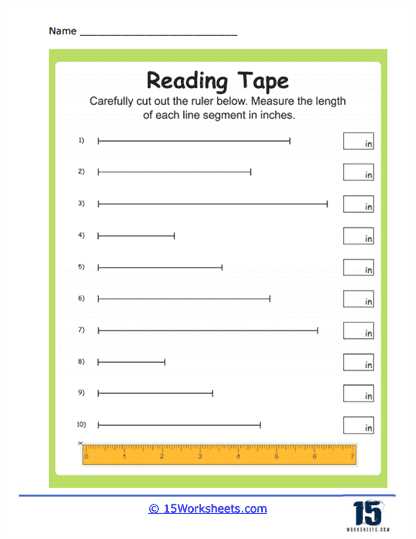
Once you’re confident that the printed version is accurate, it’s time to use it. To ensure the printed tool stays accurate over time, store it flat, and avoid bending or folding it. A laminated version can further improve durability and keep it functional longer.
When measuring with your printable tool, remember that the surface you measure on can also affect the result. Always make sure the paper is flat and even before using it, as warps or curls can skew your readings.
How to Verify the Accuracy of a Custom Measurement Tool
To ensure your customized ruler is accurate, begin by printing it at the specified scale. Pay close attention to the settings of your printer–choose “100% actual size” to prevent any unwanted scaling. Once the tool is printed, use a real, calibrated ruler to compare key measurements such as 1 inch, 5 inches, and 10 inches. If discrepancies are found, adjust the printer settings or check the print quality to ensure a more accurate result.
For better results, print the ruler template on high-quality paper. Thin or flimsy paper may cause the printed lines to shift or distort, leading to inaccuracies. A sturdier material will keep the lines straight and the measurements consistent. Furthermore, avoid printing the template on glossy paper, as this can cause ink smudging, which may affect the precision of your lines.
Another key factor is the printing margins. Some printers add automatic margins that could alter the final printed dimensions. Make sure to check the template’s instructions regarding margins, and adjust printer settings to disable them if necessary. This ensures that your printed tool matches the template’s intended dimensions exactly.
Once the print quality is confirmed and the dimensions checked, laminate the tool for durability. This will help it last longer and maintain its accuracy. For frequent use, this step is highly recommended to prevent wear and tear, ensuring that your measuring tool stays precise over time. If the print quality or size seems off, adjust your settings and print again, making sure everything aligns correctly.