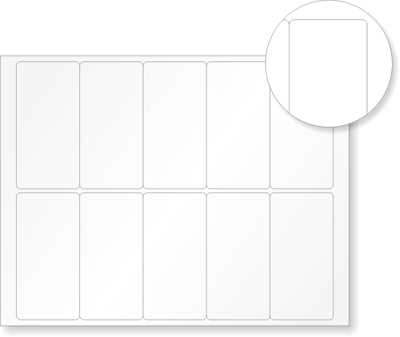
For precise, durable designs, opt for high-quality materials suitable for your project. Whether it’s for personal use or business, choosing the right medium ensures your work lasts and maintains its quality. A good adhesive material provides both flexibility and strength, with resistance to moisture and fading.
If you’re crafting for labels, storage, or decoration, consider the design aspect. A clean layout and simple graphics will stand out better than cluttered ones. Use vector-based software for precise, scalable designs. After finalizing the artwork, ensure that the print settings match the material you’re working with to avoid color misrepresentation or poor adhesion.
Finally, the cutting process is just as important. Invest in a sharp blade or cutter to ensure the edges of your designs are smooth and precise. If you’re using a cutting machine, calibrate it regularly to maintain accuracy. This attention to detail will make all the difference between a DIY project that looks homemade and one that appears professional.
Choosing the Right Material for Your Project
Consider the durability requirements of your task before selecting the material. For applications that will be exposed to outdoor conditions, choose a weather-resistant material that can withstand UV rays and moisture. Outdoor-use materials typically feature a strong adhesive and a protective coating to ensure longevity.
If your project is intended for indoor use, a standard adhesive option will suffice. However, ensure the material has a smooth finish for easy handling and better results when cutting. Matte or glossy finishes are both good options depending on the look you want to achieve.
Thickness is another key factor. A thicker material provides more durability and a higher-quality feel but may require a more powerful cutter. For intricate designs or fine details, choose a thinner material that offers flexibility without sacrificing too much durability.
Finally, evaluate your printer compatibility. Not all printers handle thicker materials well, so it’s important to test before committing to a large batch. Some materials require special ink or printing techniques, so make sure your printer is capable of handling the specific material type you choose.
Step-by-Step Guide to Designing and Printing Custom Stickers
Start by selecting your design software. Programs like Adobe Illustrator, Inkscape, or even Canva can be used to create your design. Make sure the document size matches the dimensions of your adhesive material, typically in 8.5×11 inches or A4 format for easy printing.
Choose the correct resolution for your design. For a high-quality finish, aim for at least 300 DPI (dots per inch). This will ensure that your design appears sharp and clean when printed. Avoid using lower resolutions, as they can cause pixelation and poor clarity in the final output.
Next, pick your color scheme. If you’re using a standard printer, keep in mind that colors on screen may appear differently when printed. It’s best to use CMYK color mode rather than RGB to get an accurate print result. Test your design with a small printout on regular paper to check for any color discrepancies.
Once your design is complete, it’s time to prepare the file for printing. Save the document in a file format compatible with your printer, such as PDF, PNG, or JPG. Ensure there are no extra margins or white space around the edges of the design to maximize space on the material.
Before printing, load the material into your printer. Make sure the adhesive side is facing the right direction for proper alignment. If you’re using a sheet, check that the paper feed aligns with your printer’s requirements, and always do a quick test print on regular paper first.
After printing, allow your design to dry for a few minutes if you’re using inkjet or laser printers. This prevents smudging and ensures the ink sets correctly. Cut out your design using a precision cutter or scissors for clean edges, or use a cutting machine if you want more intricate shapes.
Finally, apply a protective layer like a laminate or clear coating to your stickers to enhance durability. This will help protect the print from fading, scratching, or water damage. Once the protective layer is dry, you can start applying your stickers to surfaces, or store them for later use.
Best Practices for Applying and Maintaining Adhesive Stickers
Start by thoroughly cleaning the surface where you will apply the adhesive design. Dust, dirt, or oils can interfere with the adhesive bond and cause the sticker to peel off over time. Use a mild cleaner or rubbing alcohol and a lint-free cloth to wipe the area clean, ensuring the surface is dry before applying the sticker.
For optimal placement, carefully measure the area where the sticker will be applied. Use a ruler or tape to mark the edges, ensuring that the design is centered and aligned. It’s best to apply the sticker in a well-lit area to see the edges clearly and avoid misalignment during the process.
Peel the backing paper off slowly and gently, ensuring that the design remains intact. If necessary, use a transfer tape to assist in moving the sticker into place, especially for larger designs. Avoid touching the adhesive side to prevent oils from your fingers from reducing the stickiness.
When placing the sticker, start at one edge and press down gently while smoothing out any air bubbles. You can use a plastic scraper or credit card to ensure the sticker adheres properly without wrinkles or bubbles. For larger stickers, work from the center outward to help evenly distribute pressure.
After the sticker is in place, avoid disturbing it for at least 24 hours to allow the adhesive to bond fully with the surface. For outdoor applications, ensure that the weather conditions are suitable; extreme heat or cold can affect the sticker’s adhesion. Once the sticker is securely applied, avoid touching the edges as they are the most vulnerable to lifting.
To maintain the longevity of your stickers, avoid scrubbing them harshly. Clean the surface gently using a damp cloth and mild soap, and avoid using abrasive materials. If you need to remove a sticker, use a hairdryer to warm up the adhesive, which will make it easier to peel off without damaging the underlying surface.