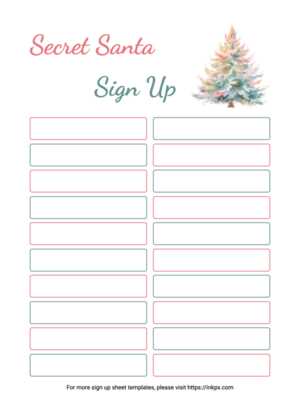
To organize a smooth and enjoyable gift exchange, start by creating a simple document where participants can sign up. Include fields for name, contact information, and preferences to help everyone choose a thoughtful gift. This simple list will keep everything organized and ensure no one is left out.
Make sure your document is easy to distribute. If you’re hosting a physical event, print several copies and hand them out. If it’s a virtual gathering, you can share a digital version that participants can fill out online. This flexibility helps accommodate different preferences and ensures everyone can join in without confusion.
Once the form is set up, send reminders as the event date approaches. Encourage participants to check their entries to confirm all details are correct. This way, everyone will have the information they need, and no one will miss out on the fun gift exchange.
Secret Santa Sign Up Template Guide
Start by structuring the document with basic fields: name, email, and gift preferences. These will ensure everyone’s information is captured and allow for easy communication throughout the process. Adding a column for notes, such as allergies or specific likes and dislikes, helps participants select more personalized gifts.
Next, make sure the document layout is clean and easy to follow. A simple table with clear headings works best. Avoid cluttering the page with unnecessary decorations or overly complicated instructions. Keep it straightforward to ensure participants can easily fill it out or print it without hassle.
For a larger group, divide the form into sections. For instance, group people by departments if it’s for a workplace or by families if it’s for a group of friends. This method keeps it organized and prevents confusion. You can also add a field to indicate whether someone is comfortable with certain gift types (e.g., homemade items, store-bought, etc.).
Once the form is designed, make it accessible. Provide both printed and digital versions so participants can choose their preferred method. A shared online document or email option can streamline the sign-up process, allowing everyone to complete their entries from their devices without physical contact.
Finally, after everyone has signed up, use the template to assign gift-givers. If you’re organizing a random draw, consider using a name generator tool to assign pairs, which avoids any accidental overlaps. Then, send out the finalized list to all participants to keep the excitement going.
How to Create a Simple Sign Up Form for Your Secret Santa Event
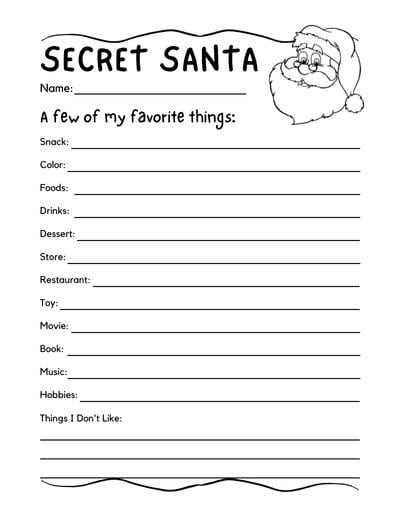
Start by opening a blank document or spreadsheet to create a clear layout. The first step is to create basic fields: Name, Email, and Gift Preferences. The gift preferences section should be open-ended, allowing participants to specify things they like, hobbies, or things to avoid. This will help the gift-giver select an appropriate gift later.
Next, add a column for additional notes. Here, participants can mention any important details like allergies, preferred price range, or restrictions. For example, someone might note “no chocolate” or “please avoid gift cards.” This field ensures everyone’s preferences are considered without confusion.
Consider adding a space for participants to indicate whether they’re comfortable with specific types of gifts, such as homemade items or secondhand products. Some may prefer new items only, while others might appreciate something handmade. This helps prevent any awkward moments and keeps the exchange thoughtful and considerate.
If your event has a specific budget, create a budget column where participants can mark their maximum spend. This will help ensure the gift-giving remains fair, especially in larger groups where the value of gifts can vary widely. A clear budget section prevents anyone from feeling uncomfortable or overwhelmed by the process.
Once you’ve added all the necessary fields, make sure the document is easy to read and fill out. Use bold headings, large enough font sizes, and clear borders for each section. If you’re using a digital version, check that it’s easy for participants to fill out and submit their details without needing any technical expertise.
Provide a clear deadline for signing up. In the form, include a space for participants to indicate the date they filled out the form. This ensures that everyone signs up on time and that you can begin assigning gift recipients without delays. If you’re distributing a paper version, set a deadline for turning in the form.
For larger events, consider grouping participants by team or location. This keeps things organized and allows you to send out smaller, more manageable groups to those coordinating the event. For example, if you’re organizing this in a workplace, you could have one sheet for each department.
Finally, once everyone has filled out the form, use the information to assign participants to each other. You can do this manually, but for a larger group, it’s often easiest to use a random name generator. This way, the gift pairs remain a surprise, and everyone can get excited about the upcoming exchange.